USB Unlock & Eject
A downloadable tool for Windows
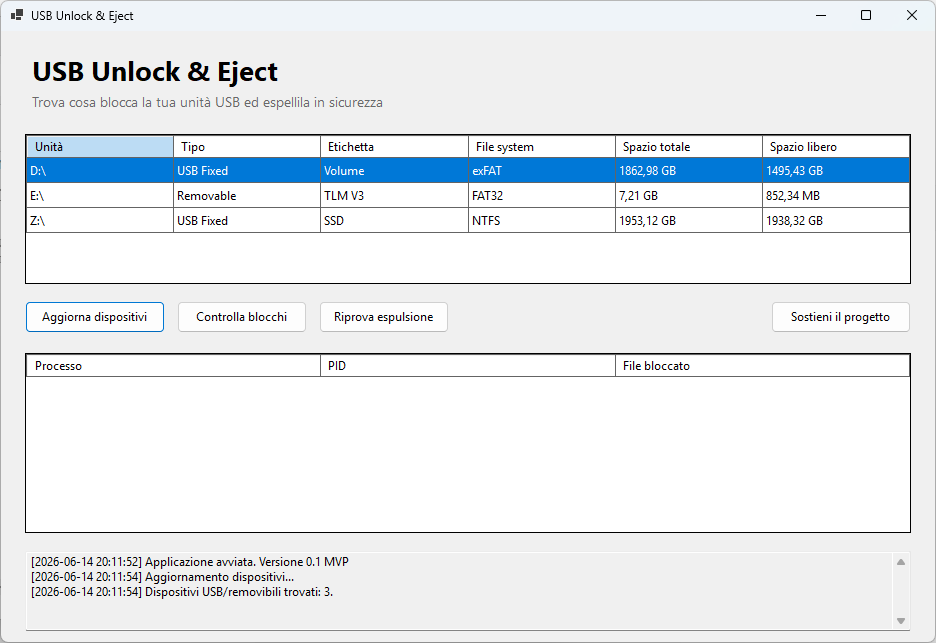
USB Unlock & Eject is a small free Windows utility that helps you understand what is blocking the safe eject of a USB drive, external HDD, or external SSD.
Windows often says that a device is currently in use, but does not clearly show which process is blocking it. This tool helps identify the blocking process and lets you retry safe eject without forcing removal.
Features:
- Detects USB flash drives
- Detects external USB HDD/SSD drives
- Shows processes and files blocking safe eject
- Uses Microsoft Sysinternals Handle
- Converts internal Windows paths into readable drive paths
- Retries safe eject safely
- Does not kill processes
- Does not close handles
- Does not force removal
Requirements:
- Windows 10 or Windows 11
- handle.exe included in the same folder as the app
- First use may require accepting the Sysinternals Handle EULA
This is an early MVP release.
Free to use, donationware only.
Download
Install instructions
Download the ZIP file, extract it, then run UsbUnlockEject.exe.
The folder must contain:
- UsbUnlockEject.exe
- handle.exe
- README.md
On first use, Sysinternals Handle may require accepting its EULA.
Windows SmartScreen may show a warning because this is an unsigned early release. If you trust the download source, choose "More info" and then "Run anyway".
Do not remove the USB device while file operations are still running.
Leave a comment
Log in with itch.io to leave a comment.